Procedural Map Design
Procedural Generation and Roguelikes
Roguelikes are a relatively obscure genre of videogames with a long history. A biproduct of the early days of computing, they've had an outsized influence on modern games. One of their most interesting aspects is their heavy use of procedural generation. By introducing an element of randomness to aspects of the game, replayability is increased as well as challenge.
As a long-time fan of the Roguelike genre, I decided to try making my own with Godot.
Building a Map Generator
There are a handful of well-known map generation algorithms that are prevalent in Roguelikes. This blog post has a great overview of the most common. When I began writing my own algorithm implementations, I realized I needed a more convenient way to compose and test different methods on the fly. After looking at how others approached the task, I came across this repository. It's an older C# library called RogueElements that creates ASCII maps in a terminal.
The library makes use of three primary classes, MapGen, GenStep, and IGenContext.
The MapGen class takes an IGenContext and series of GenSteps, and applies the GenSteps sequentially to the IGenContext. Given my requirements, this seemed like a great approach. Rather than sticking with C#, I opted to write my own version in GDScript.
The Map Generator Framework
The main classes, as they are in the original, are relatively simple.
The Generator
The generator takes in a `BaseMap` configuration object, and a seed. By passing a seed in, generated outputs can be reproduced.
@tool
class_name MapGenerator extends RefCounted


var steps: Array[Step] = []

func generate(map: BaseMap, _seed: int = 0) -> MapContext:
        var ctx: MapContext = MapContext.new(map, _seed)
        _apply_steps(ctx, steps)
        return ctx

func _apply_steps(ctx: MapContext, _steps: Array[Step]) -> void:
        for step in _steps:
                if step.enabled and step.can_apply(ctx):
                        step.apply((ctx))
The Context
The context holds all of the data about the map. In addition to coordinate data about tiles, it has a concept of pathing with the A* algorithm.
@tool
class_name MapContext extends Resource


@export var map: BaseMap
@export var theme: MapTheme = MapTheme.new()

var tiles: TileMapLayer = TileMapLayer.new()
var path: AStarGrid2D = AStarGrid2D.new()
var rng: RandomNumberGenerator = RandomNumberGenerator.new()

var meta: Dictionary[StringName, Step] = {}

func _init(_map: BaseMap, _seed: int = 0) -> void:
        map = _map
        rng.seed = _seed
The Step
Steps override the `transform()` function from the base Step resource. They can be dependent on other steps, and enabled or disabled in the editor. This lets me retry outputs with the same seed while omitting certain effects.
@tool
class_name Step extends Resource

const EXAMPLE_STEP: StringName = &"EXAMPLE_STEP"

@export var enabled: bool = true
@export var name: StringName = EXAMPLE_STEP
@export var dependencies: Array[StringName] = []

func _transform(_ctx: MapContext) -> void:
    push_error("you must override this function")

func can_apply(_ctx: MapContext) -> bool:
    return dependencies.is_empty() or _ctx.meta.has_all(dependencies)

func apply(_ctx: MapContext) -> void:
    if can_apply(_ctx):
        _ctx.meta.set(name, self)
        _transform.call(_ctx)
The Editor
All of these end up in a very simple scene file with the following script attached:
@tool
class_name MapEditor extends TileMapLayer


@export var _seed: int = 0
@export var theme: MapTheme
@export var base_map: BaseMap
@export var steps: Array[Step] = []

@export_tool_button("Randomize Seed")
var randomize_seed: Callable = _randomize_seed

@export_tool_button("Generate Map")
var generate: Callable = _generate

@export_tool_button("Clear Map")
var clear_map: Callable = _clear


func _randomize_seed() -> void:
        var _rng: RandomNumberGenerator = RandomNumberGenerator.new()
        _seed = _rng.randi()

        Loggie.info("randomizing seed.")

func _generate() -> void:
        if theme == null:
                push_warning("missing theme.")
        if base_map == null:
                push_warning("missing base map.")

        var _start: int = Time.get_ticks_msec()

        var generator: Generator = Generator.new()
        generator.steps.assign(steps)
        var ctx: MapContext = generator.generate(base_map, _seed)
        self.tile_map_data = ctx.tiles.tile_map_data
        base_map.data = ctx.tiles.tile_map_data

        var _end: int = Time.get_ticks_msec()

        Loggie.info("generation complete. elapsed: %sms." % [_end - _start])


func _clear() -> void:
        base_map.data = []
        self.clear()
        Loggie.info("map cleared.")
This gives me a small panel in the Godot editor that looks like this:
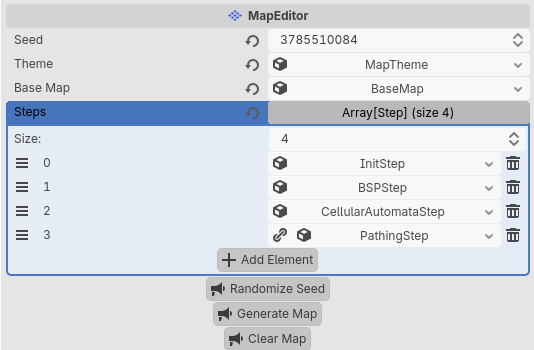
It's nothing fancy, but for my purposes it works well enough. For manual edits I'm relying on Godot's built-in editor.
Examples
Binary Split Partitioning
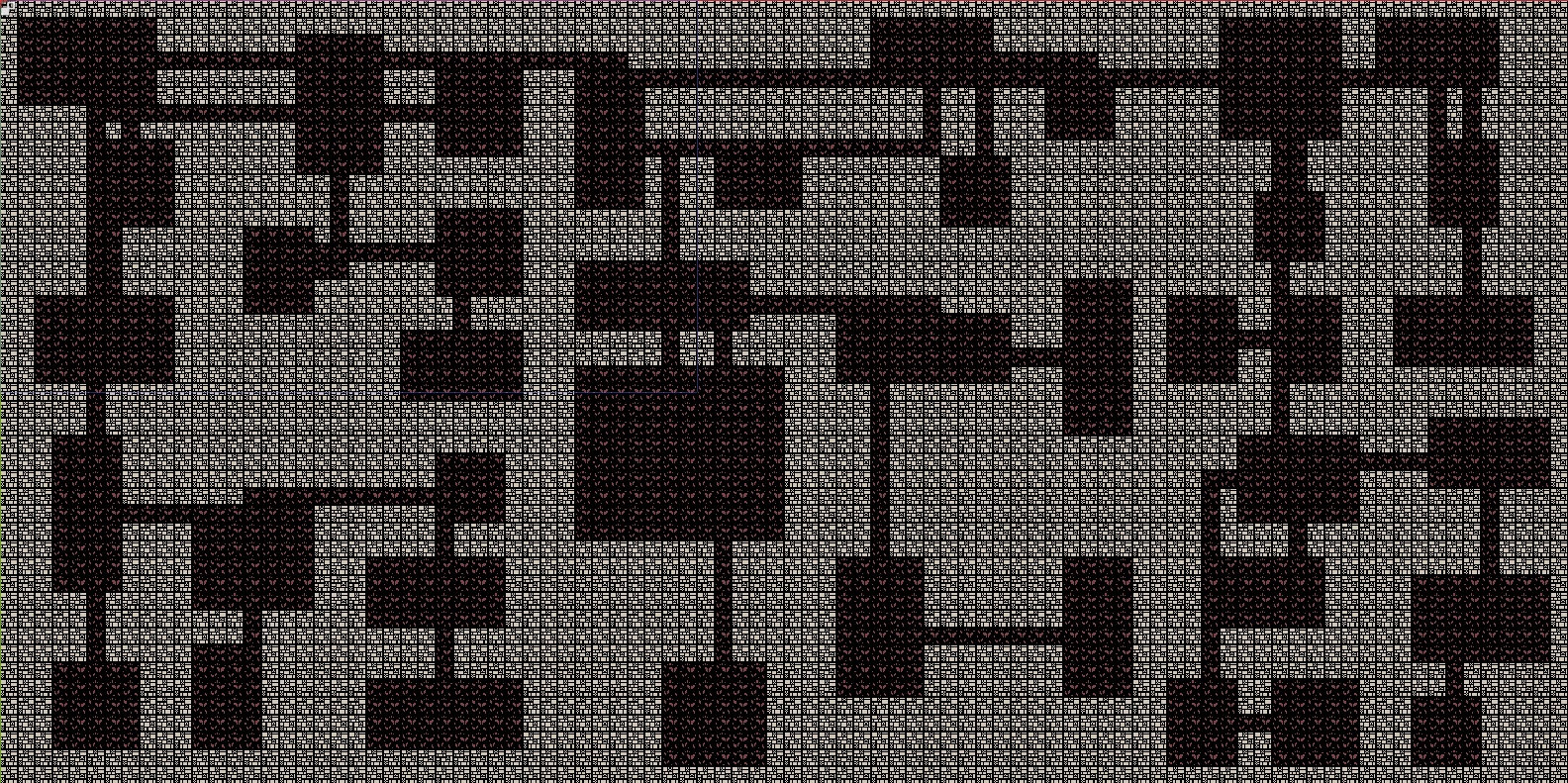
BSP starts by dividing an area into two rectangles, and then further subdividing
those up until a certain point. Then it goes back and places rooms that fit
within those subdivisions. Afterwards, the rooms are connected by walking back up
the tree of subdivided rectangles.
Directional Tunnels
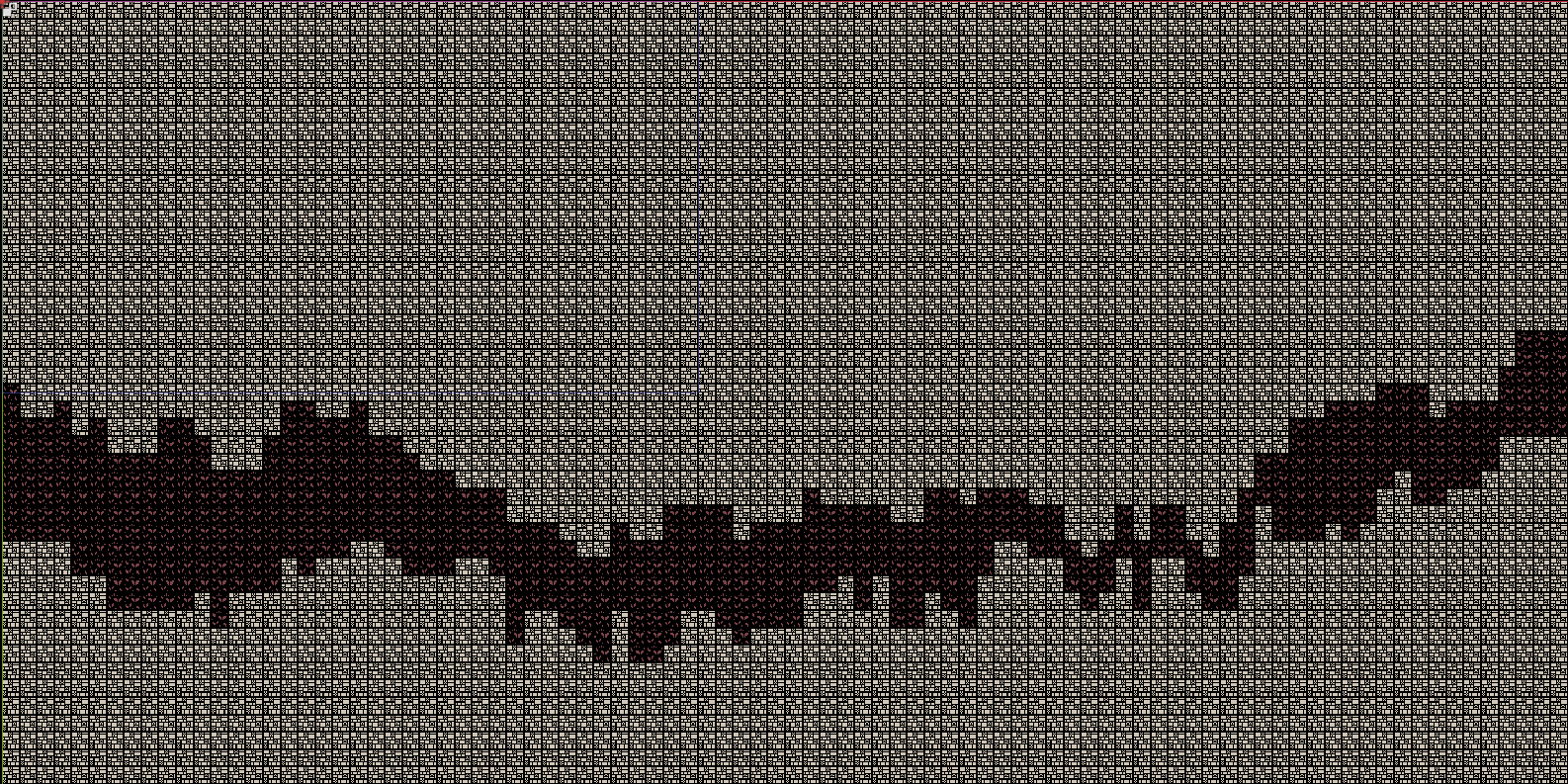
These directional tunnels were implemented based off the description of an
algorithm described here on RogueBasin, a helpful source of information for
creating roguelikes.
Random Walk
Also known as Drunkard's Walk. This is an extremely simple algorithm that can fit into a single loop.
initialize all map cells to walls.
pick a map cell as the starting point.
turn the selected map cell into floor.
while insufficient cells have been turned into floor,

    take one step in a random direction.
    if the new map cell is wall,

        turn the new map cell into floor and increment the count of floor tiles.
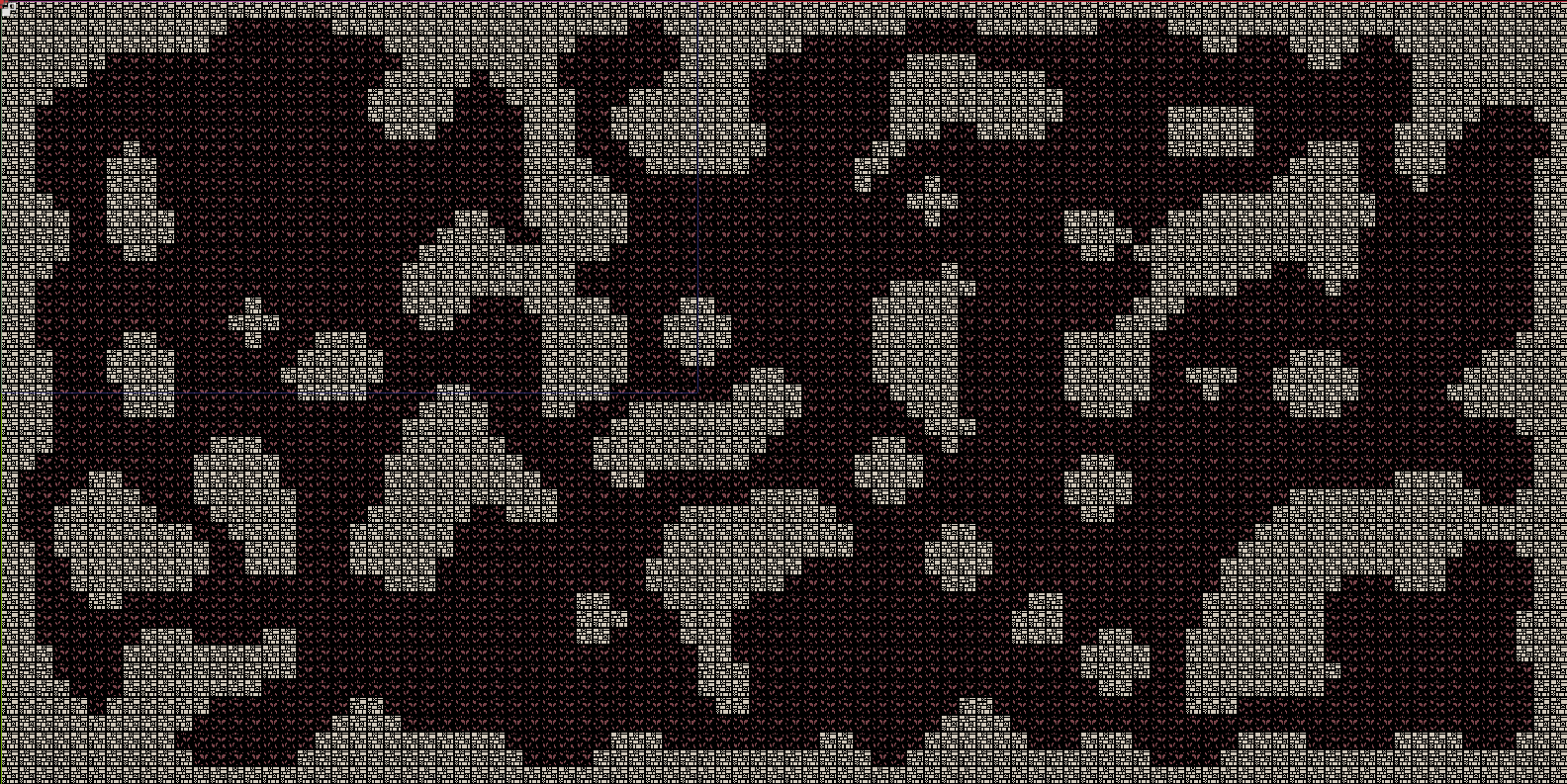
Cellular Automata
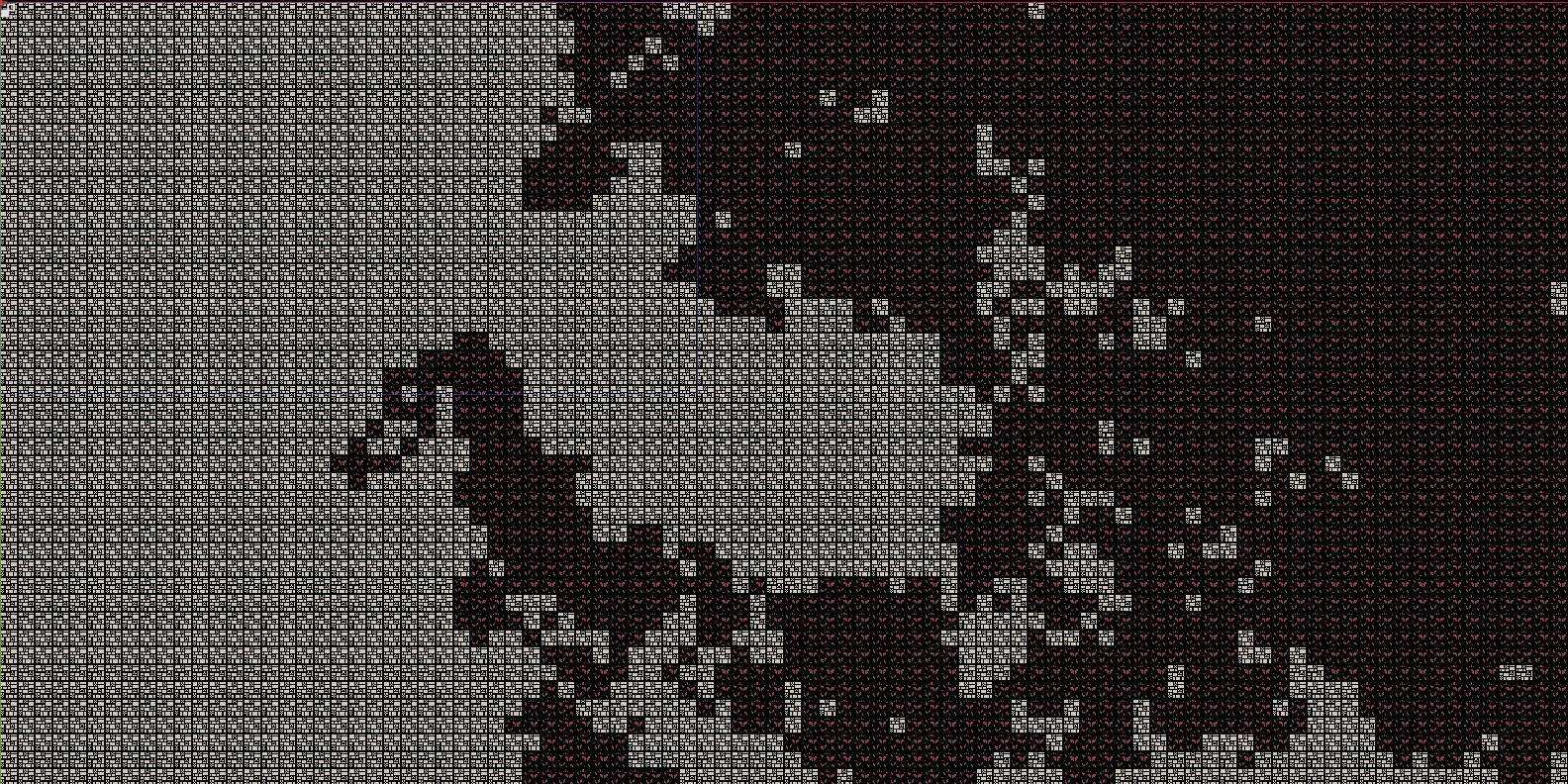
This method is particularly good for generating natural looking cave structures.
It uses a simple rule taken from Conway's Game of Life: a tile becomes a wall if
it was a wall and 4 or more of its eight neighbors were walls, or if it was not
a wall and 5 or more neighbors were.
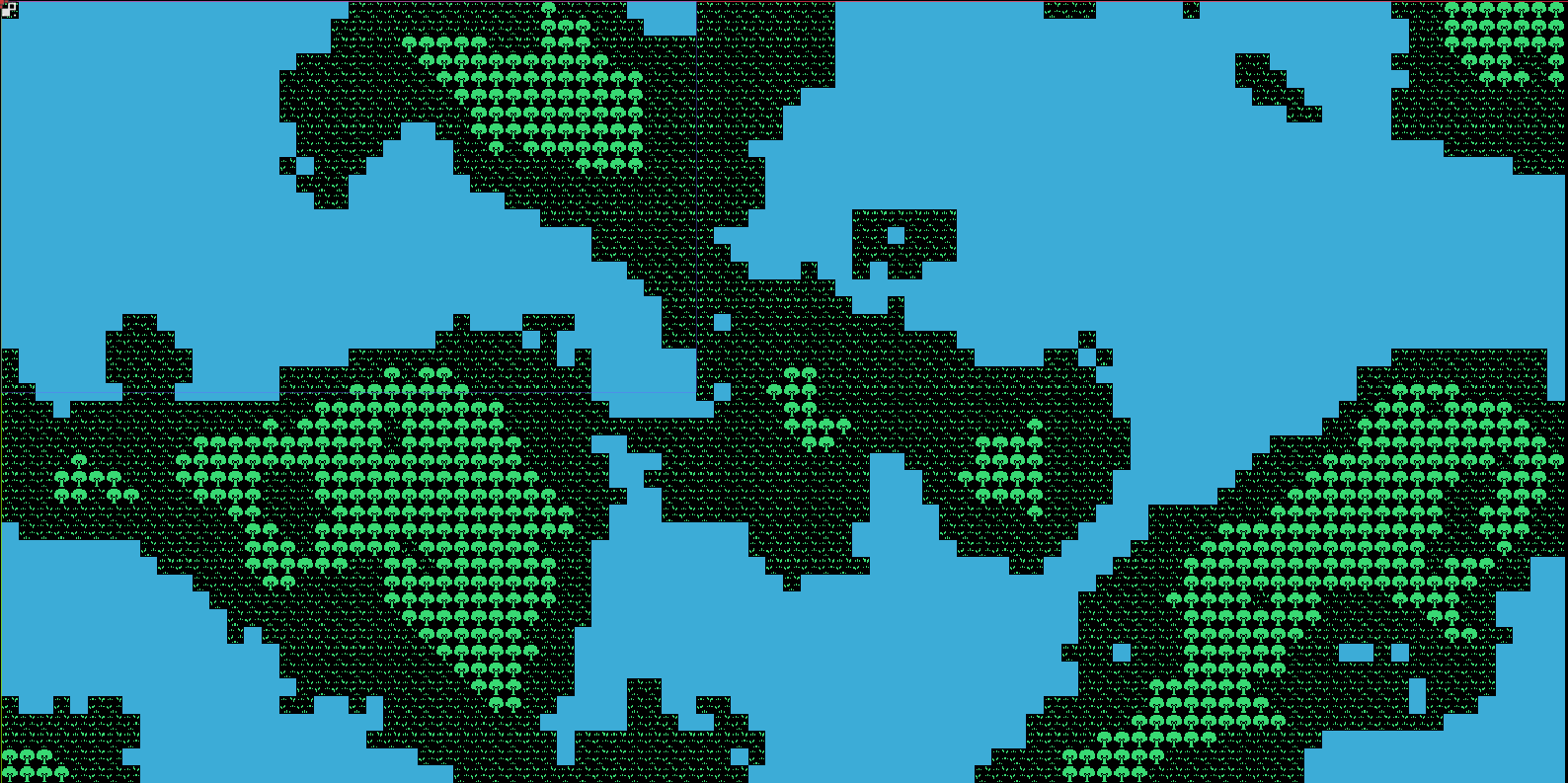
Perlin Noise
Developed by Ken Perlin, it's a gradient noise that produces natural looking terail.
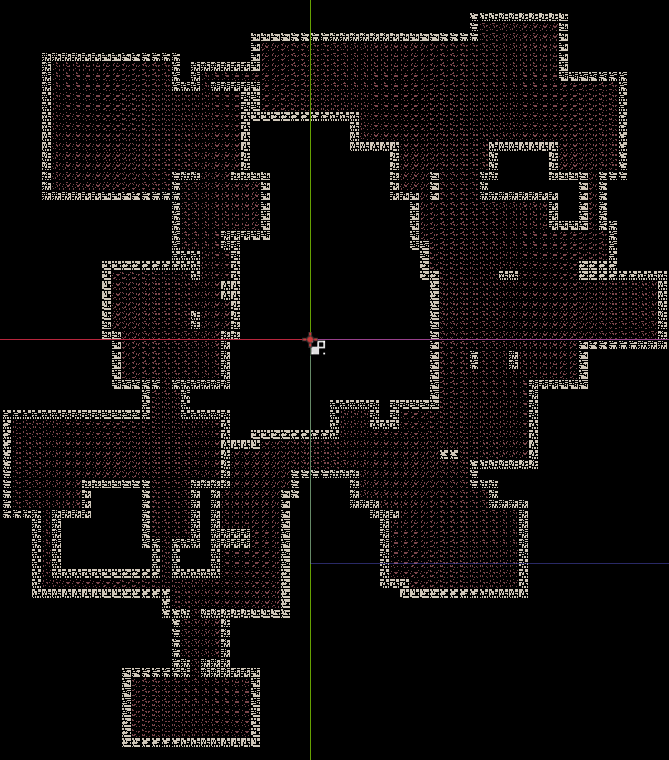
Directed Graphs
This was the most challenging and interesting to implement. It's based on an
algorithm originally described by the developer of TinyKeep. First It creates a
number of cells within the radius of a sphere, and then pushes them outward
until they no longer overlap. Next every room is linked using
Delaunay triangulation. We use this this graph as input to a
Minimum spanning tree, to reduce the number of connections while ensuring no
rooms are isolated.
GDScript Library
The tool works relatively well, but as you can see the steps and levels themselves are very bare bones. After some improvement, I plan to have a version of the library available online for others. Hopefully it can be of use to others looking to make their own Roguelike.